Roundcube webmail
Getting started
Using the departemental roundcube webmail is quite straight forward. To help you get started follow these steps.
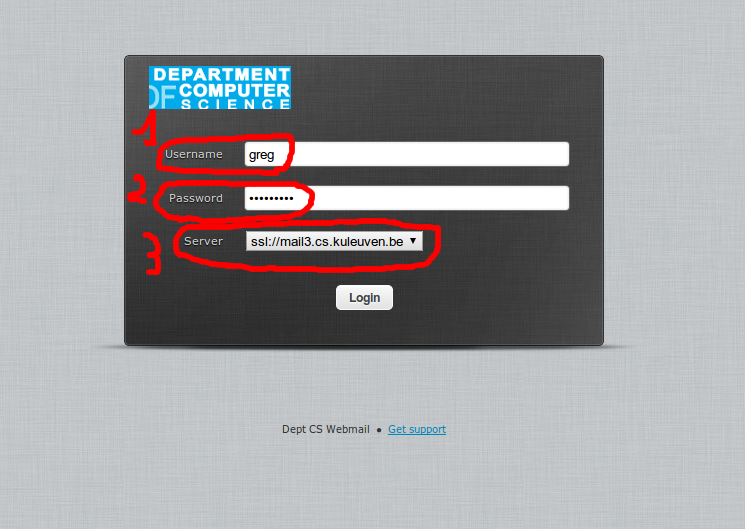
- Log in: (click for a screenshot)
- 1) Enter your Departemental user name ex: greg
- 2) Enter the password related to this user name
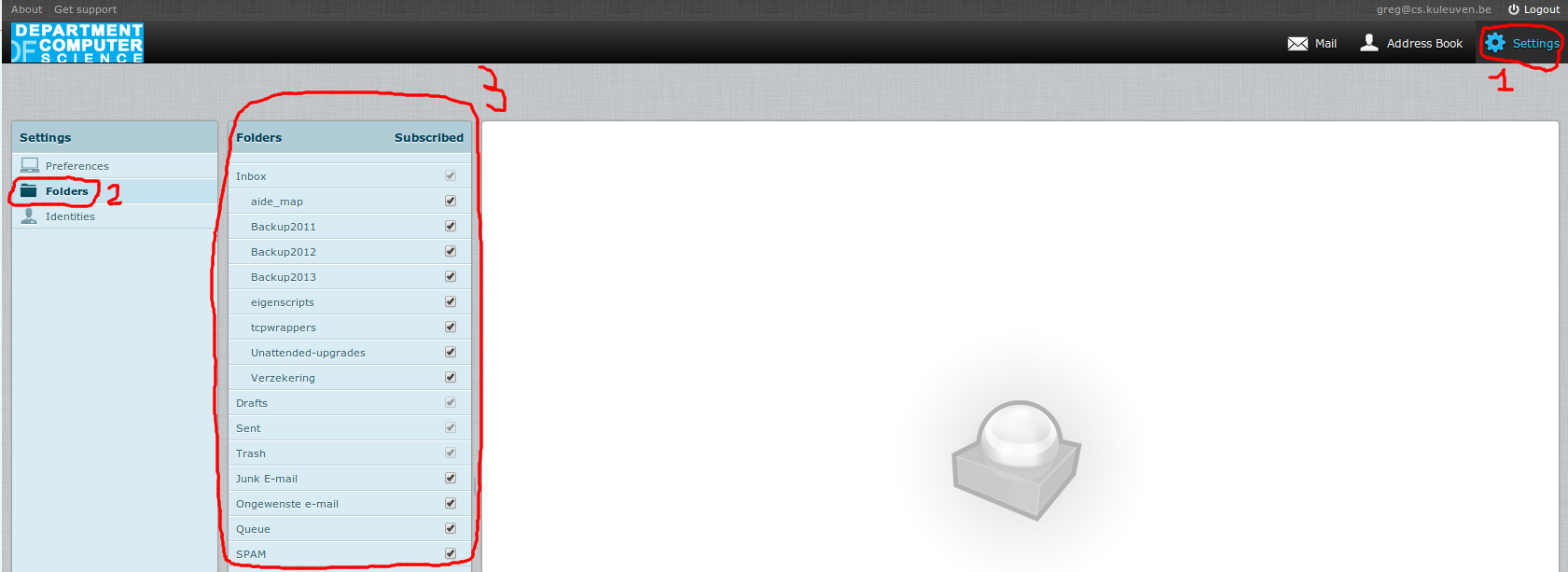
- Folder setup: (click for a screenshot)
- 1) Click on "Settings"
- 2) Click on "Folders"
- 3) Choose the folders you want to see in your webmail
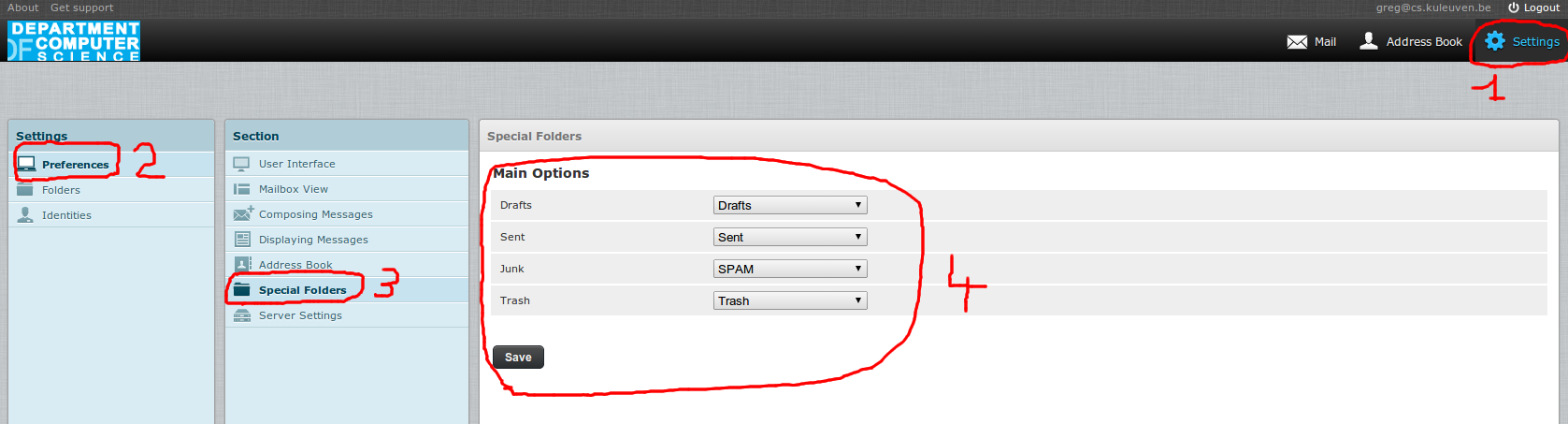
- Special Folders: (click for a screenshot)
- 1) Click on "Settings"
- 2) Click on "Preferences"
- 3) Select Special Folders
- 4) Choose where you want your "Drafts","Sent","Junk" and "Trash" mails to be stored. Click on Save when you are done
Troubleshooting
- Reading mail on my Mobile device is slow and/or scrolling on/through lists is too difficult!
- Try limiting the "Rows per page" to 25, (Settings -> Preferences -> Mailbox View)