Grant Full Access to your Exchange Mailbox
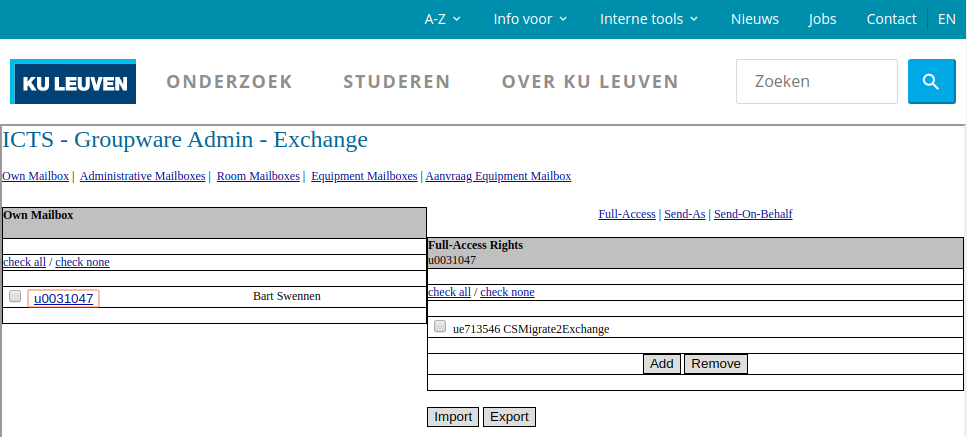
If you want to give somebody else full access to your Exchange mailbox, you must explicitly grant that access. Do take care though, full access is a lot ;-) You can do so with:
- browse to and login on https://gwbeheer.icts.kuleuven.be
- Click on Own Mailbox in the top row
- Click on your mailbox in the left table - a new table on the right will open
- Click on the access you want to give
- in the context of the migration towards Exchange that needs to be Full-Access
- Click on Add and fill in the u-number or (part of the) name of the person you want to give access to
- in the context of the migration towards Exchange that needs to be ue713546
- Click Search
- Select the person you want to give access to (i.e. activate the little select box in front of the person)
- Click on Add at the bottom of the table
The result should look like the screen grab below. Be careful who you give what access to.