NetApp Volumes @cs.kuleuven.be
Most research groups have at least 1 NetApp volume - such a volume is just an NFS-mounted directory as any other NFS-directory on servers, it just happens to be implemented on a NetApp controller.
If you need more information about which volumes are availably for you, you should contact the system group representative(s) of your research group.
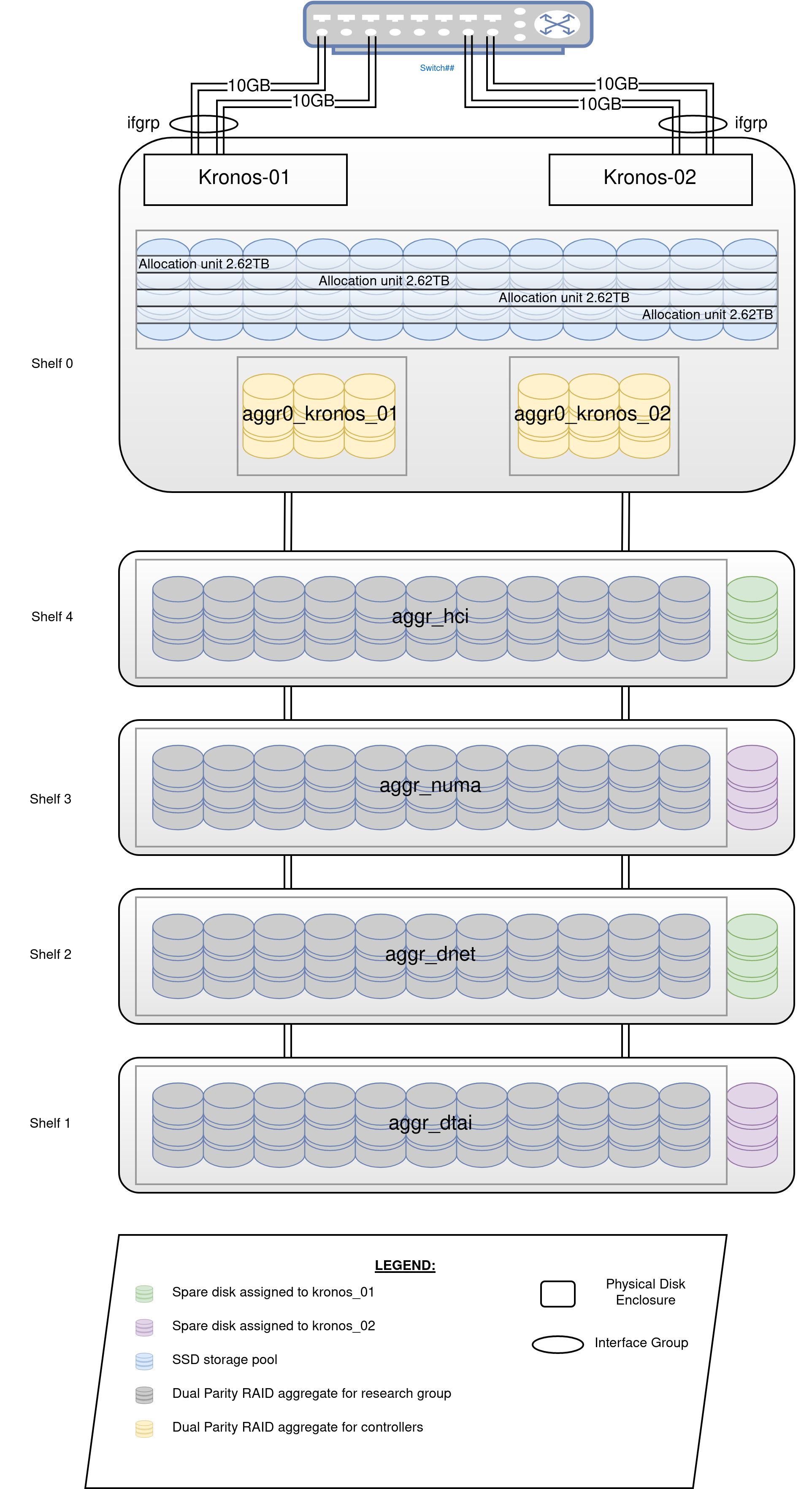
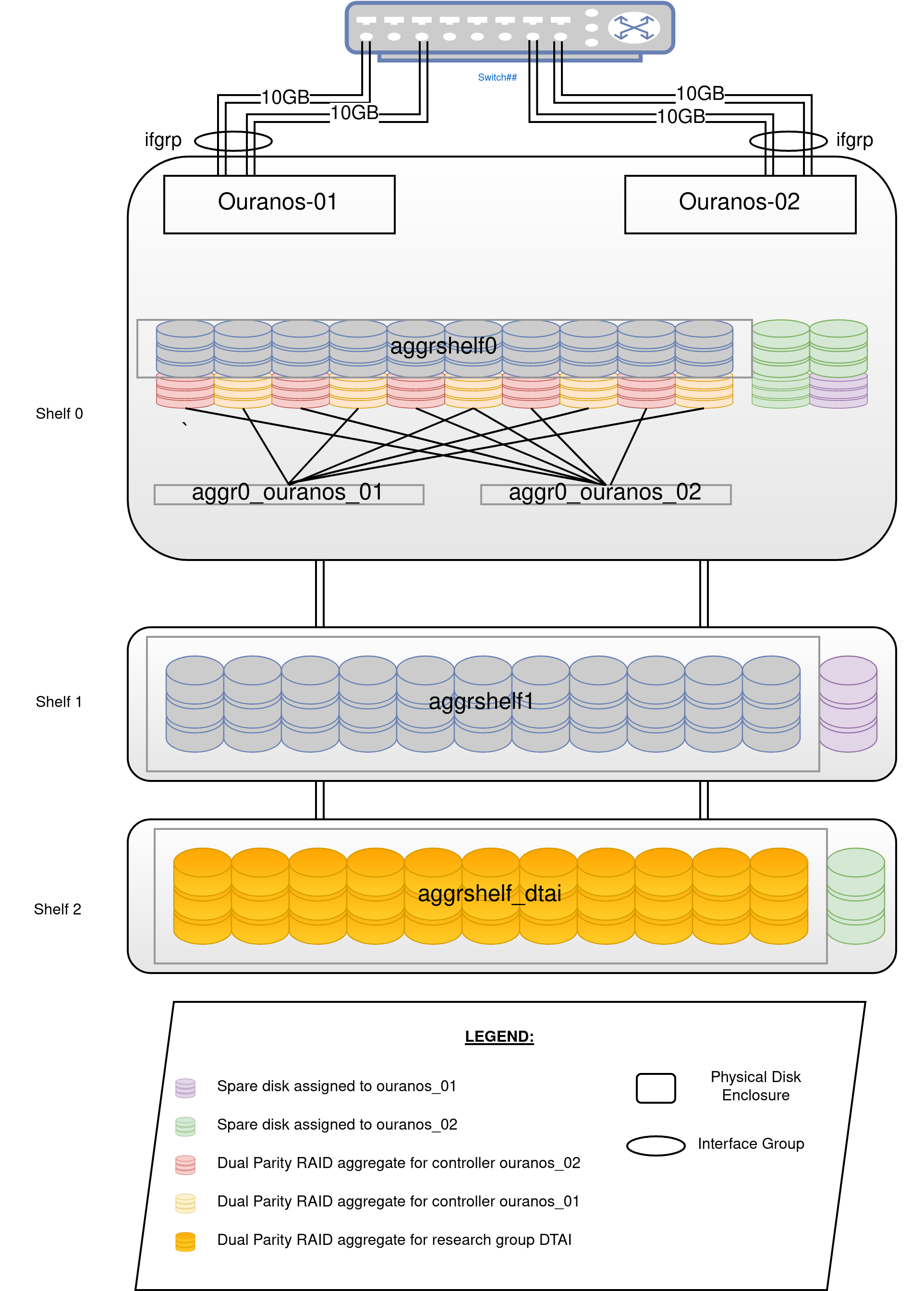
Overview Netapp Clusters:
NetApp monitoring for cs-staff:
cs-staff members have access to the monitoring page which is powered by ActiveIQ.
As systems representative of your group you'd want to follow up on: usage of volumes, how much capacity is available for new volumes, what volumes are running full, ....
Follow these instructions to get this information: (in the screenshots below DTAI is used as example)
- Browse to https://activeiq.cs.kuleuven.be/
- Login info is found on https://iwww.cs.kuleuven.be/system/operator/DOC2020/Services/Storage/ActiveIQ/readme.txt
- For information on Volumes:
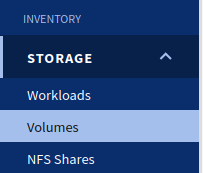
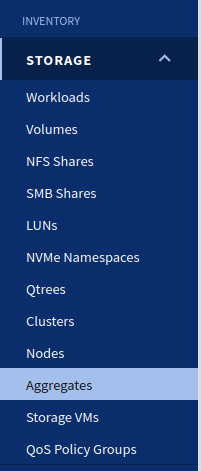
- click left on storage -> volumes
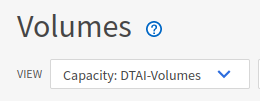
- in the view drop-down, select <name research-group>-Volumes
- for a csv or pdf report, click:
- For information on aggregates (your shelf):
- click left on storage -> aggregates
- in the view drop-down, select <name research-group>-Aggregates
- for a csv or pdf report, click
NetApp Volume Overview:
Volumes Usage:
- NetApp shelves/disks are used by means of volumes
- volumes can grow and shrink as needed (so far as the available disks and current usage allow)
- on departmental NetApps, volumes are always and only made available via NFS
- volumes can be exported / made available to specific clients or to entire zones (e.g. the intranet) using export policies
- volumes can be used using the usual file and folder manipulation: cd, ls, cp, mv, ... or their GUI counterparts
- volumes that are made available to the departmental intranet are usually mounted via the automounter
- the automounter configuration shows the mount paths via which the volumes can be used:
- ypcat -k auto.cw | grep <netappname>
- where netappname is currently either ouranos or kronos
- remember that the automounter mount paths only become visible after they have actually been used: first cd or ls /cw/something and only then it will be visible in /cw
- ypcat -k auto.cw | grep <netappname>
- on volumes the usual unix/linux access control is done using owner/group/permissions, if needed with extended ACL's
Volume Technology:
- volumes are not exported/controlled by the NetApp devices directly but via virtual machines known as SVM or vservers
- each SVM/vserver manages one or more volumes and makes them available to designated clients via the export policies
- SVMs are executed on a NetApp controller
- each NetApp device is an HA controller pair
- such an HA controller pair acts as 1 device, where both controllers can take over each other business if/when needed - from the outside, they seem to act as 1 - SVMs can migrate from one controller to the other as needed
- in this way, SVMs (and thus the volumes they control/provide) remain available even when a controller is down for maintenance or because of hardware error
- the department does not use NetApp cluster configuration but each NetApp device operates independently from the others
- (therefore) volumes cannot span NetApp devices - each volume is restricted to the device it is defined on
- volumes can span shelves (in the same NetApp device), but only as far as (the disks on) those shelves are configured to be used together:
- volumes are defined on aggregates
- aggregates can use disks from several shelves
- aggregates can grow and shrink as needed but only if the disks that are involved are empty / not used
Naming Conventions:
- SVMs are named <devicename>-<sectionname> in DNS and <sectionname> in NetApp configuration
- volumes are named: <sectionname>_<volumename>
- the SVM volume junction/export path name is the same as the automounter mount path
- volume names are only visible on the NetApp itself - the other names are visible in the automounter configuration:
- /cw/<name> -> <svm>.cs.kuleuven.be:/<name>
NetApp Volume Configuration Decisions:
- decide whether to use FlexVol (with a limit to the number of inodes/files) or FlexGroup (with a limit to the maximum size of files: maximum the size of the constituent volumes)
- decide whether or not to use snapshots and if so, how many
- decide which NFS clients should have access: our intranet or specific clients or ...
- decide which users should have access: top level group and permissions, first level subdirs group and permissions, ...
- decide whether or not to use quota
- decide whether or not to backup using the departmental backup system - if so, via which server/backup node/license
- decide whether or not to use a separate admin account to manage the volume configuration yourself (CLI-only)
NetApp SVM Configuration:
- a single NetApp SVM can manage multiple volumes but you can also use multiple SVMs
- criteria to decide which SVM to use for a volume:
- if no direct NFS access from (users) within the departmental intranet is needed:
- a separate SVM for volumes that are only needed on specific hosts - these hosts get a special dedicated network interface to reach those volumes, using a specific network configuration that promises more bandwidth (larger MTU)
- if besides NFS access from (users) within the departmental intranet, also NFS access from extranet hosts is needed:
- a separate SVM for each firewall zone where volumes are needed that are shared between (hosts on) that zone and the departmental intranet - in this way storage from one firewall zone is not accessible from within other firewall zones
- if only NFS access from (users) within the departmental intranet is needed:
- we use separate SVMs for each research section towards the departmental intranet - in this way we hope that bandwidth problems do not spill over from one SVM to another
- if no direct NFS access from (users) within the departmental intranet is needed:
NetApp Volumes versus Server-Hosted-Directories:
The main advantages a NetApp volume has over server-hosted-directories are:
- NetApp controllers are implemented using a HA-pair where 1 controller takes over if the other is rebooted or upgraded or unavailable otherwise
- in this way nearly 100% uptime can be expected - definitely more than for server-hosted-directories
- especially OS upgrades can be done more easily/transparent on NetApp controllers than on Linux servers
- none of the departmental server-hosted-directories are setup in this way: they are unavailable if and as long as the server is not up&running
- NetApp volumes are typically implemented on more disks than server-hosted-directories - this usually means both more disk space and more performance
- several NetApp shelves can be combined creating even larger volumes - in theory this is also possible using server-hosted-directories but we have no experience in such a setup
The similarities between NetApp volumes and server-hosted-directories are:
- both are available via NFS
- both can use the departmental LDAP groups for access control when needed
- both have support for quota
- both can be backuped using the departmental backup system
- both are setup in a redundant way using RAID
(but the NetApp volumes have an additional redundancy via the HA-controller-pair and thus extra availability with reboot/upgrade) - both can be setup to be used only from within the departmental intranet or from both the intra- and extranet
- both can be limited to be used on only specific machines
NetApp Storage Size:
- as with other redundant, fail-safe storage solutions, there is a substantial difference between the raw disk size and the effective volume size
- that is the price you pay for the redundancy, fail-safe and flexible operation
- as an example, the following overview shows a real life NetApp disk shelf setup:
- catch 1: 1000 vs 1024
- disks are advertised/labeled as 8 TB
- advertised TB are powers of 1000 whereas disk/volume/file system size is often read/used as powers of 1024
- catch 2: RAID
- disks are aggregated into RAID groups
- the default NetApp raid-level is RAID-DP: double parity
- this gives 2-disk-failure protection: you can loose 2 disks without loosing the (data in the) RAID
- but you use/loose 2 disks for redundancy / fail-safe operation
- catch 3: hot spare
- in case of a failed disk, a hot spare is used directly to replace the failed disk
- in this way, normal double-disk-failure status is restored as soon as possible, without having to wait for the replacement disk
- we use 1 hot spare disk per RAID group
- catch 4: WAFL and snapshots
- the NetApp WAFL file system has, as any file system, overhead to organise the files on disk: 10%
- snapshots, when used, also reserve some space on disk: 5%
- the result:
- starting from a shelf with 12 disks of 8 TB each
- after converting to TiB, aggregating into RAID-DP, using 1 hot spare and accounting for WAFL and snapshosts
- you get a 12*(8/1.024^4)*(10/12)*(9/10)*0.9*0.95 = 56 TiB volume
- catch 1: 1000 vs 1024