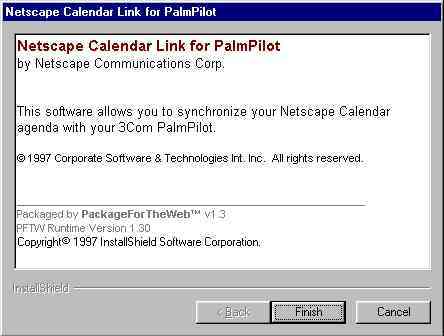
Click on "Finish"
Recent copies of the Netscape Communicator suite already have the communication program included. Look for it in the Start Menu sub menu where all the rest of Netscape can be found. If you really cannot find it there and you have looked at least twice, then proceed with downloading it from one of the sites mentioned below. First download the program from the Netscape site
ftp://ftp.netscape.com/pub/communicator/extras/palmpilot/ncpilink.exe
or the local copy Download NCPILink.exe
If for some reason you need to uninstall the program then use Control Panel Add/Remove programs option.
You will find the program listed as 'Netscape Calendar Link' and selecting Add/Remove will run the Uninstall routine.
I have tested this and it gave no errors and appeared to remove successfully.
Having run the .EXE program the first screen is shown
Click on "Finish"
The following screen is displayed
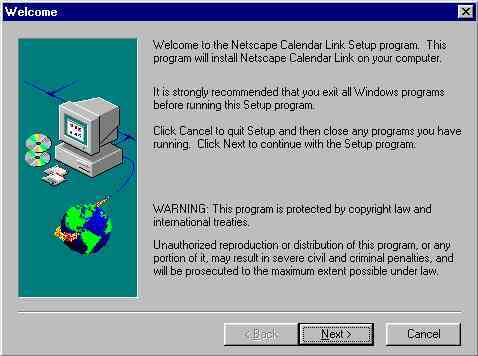
Neither of these screens provide any options.
The first screen simply announces that the setup process to extract the required files from the archive is about to happen.
The second screen is announcing the actual setup process screen and as the program has preset requirements and no options (ie since your Palm Pilot and Netscape programs already exist on your system the defaults are automatically selected)
If you are like me and have HotSync Manager running automatically then it will be active during this installation process.
In which case you will get another message about 'Exiting HotSync Manager'.

If you simply click on Yes then nothing will appear to happen.
This is because the HotSync Exit Query Prompt becomes the active screen, but is hidden below the setup screen.
If you use the Alt-Tab combination (Press Alt and hold it then press Tab and hold it) you will see the task bar.
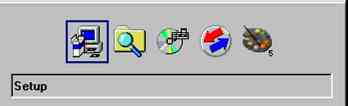
Press Tab (while still holding the Alt key) as many times as required to highlight the HotSync Manager Icon and then let go of both keys.
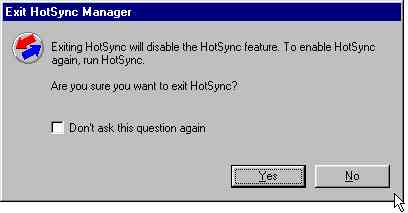
The HotSync Exit Query Prompt will appear and simply select Yes to exit HotSync Manager.
The Netscape Installation process will start immediately.
Netscape Communicator will start during this process but only for some internal configuration and then close again.
After this has finished, the Completed screen does offer two options.
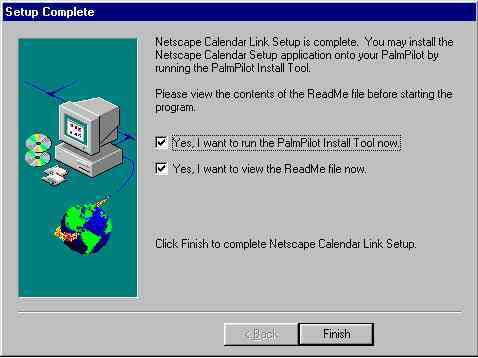
Select or deselect these options depending on what you want to do.
The readme file contains instructions on configuring Netscape to transfer data to/from the Pilot. BUT please read the other sections relating to configuring the various components.
Back to The Netscape Calendar Link Page