

Configuration on Windows
Network configuration is needed for wired connection on a self administered machine.
You can download the cat tool here.
You will see the following screen:
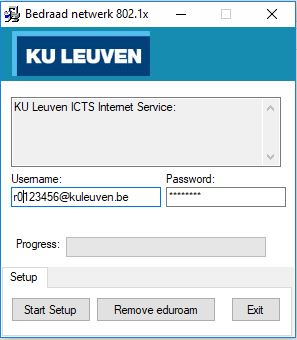
You will need to enter the following information:
- your KU Leuven username, followed by @kuleuven.be
- your password
- make sure the network cable is attached
- make sure the network interface is recognised correctly by the OS (e.g. in the Network Settings configuration)
- make sure Wifi is turned on
- finally click on Start Setup and wait until you see ***Setup Complete***
