- Bart.Swennen@imap2
- Server Settings
- Copies & Folders
- Composition & Addressing
- Offline & Disk Space
- OpenPGP Security
- Return Receipts
- Security - Local Folders
- Disk Space
Outgoing Server (SMTP)
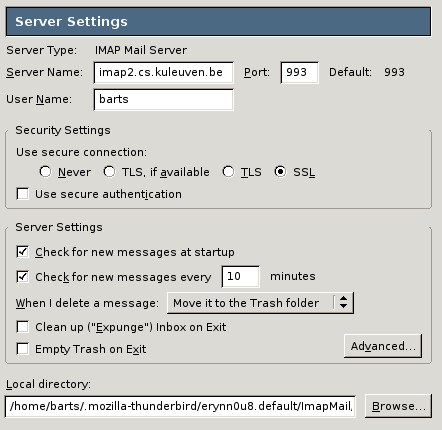
Fill in reasonable settings ... compare with mine below.
|
|
| Add Account... | |
| Set as Default | |
| Remove Account |
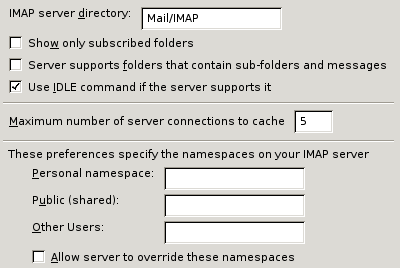
Use the Advanced button to see/change the details:
If you use a specific IMAP server directory (where your mail folders are stored in), take care to specify it relative to your mail directory ... i.e. do not start with /cw/mail/loginname, /cw/mail2/loginname or /home/loginname ... just use the relative path name as in the example given.
|