

Consult your Zimbra calendar by Iphone
Steven Op de beeckSetup Iphone
The setup is rather basic only the HTTPS port has to be changed from the default.- Select
Calendars
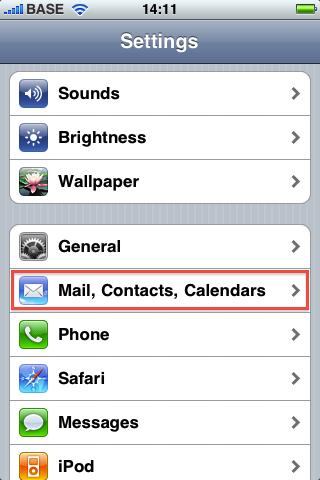
- Select
Add account
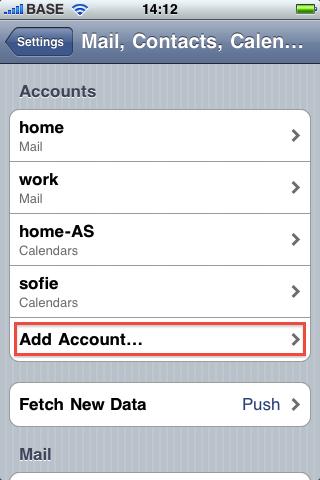
- Select
Other
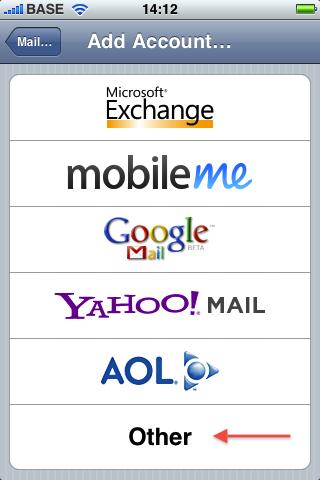
- select
Caldav
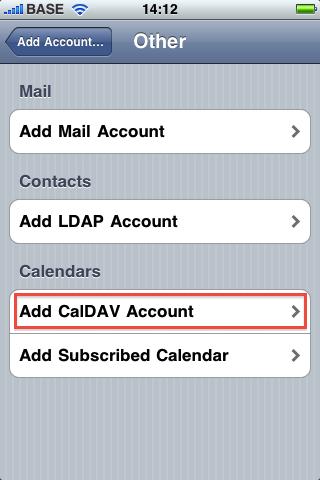
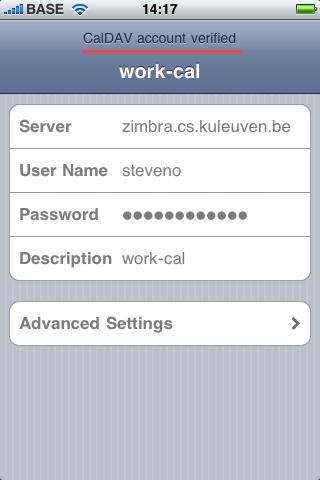
- Fill
in Server: Zimbra.cs.kuleuven.be, Username, Password
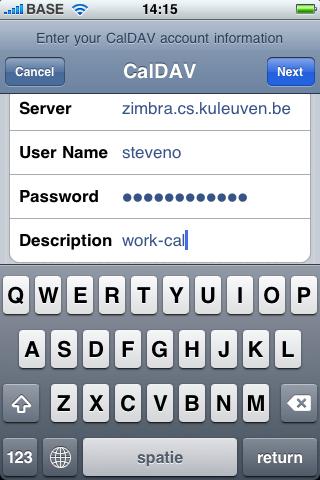
- Setup
fails because the Iphone uses port 8443, ignore warning about SSL
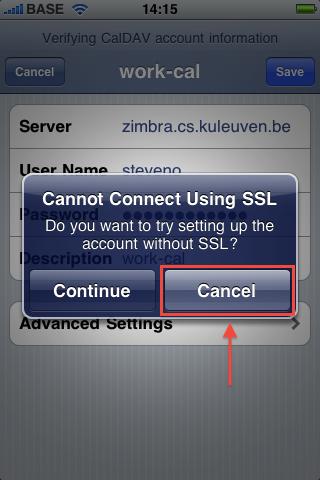
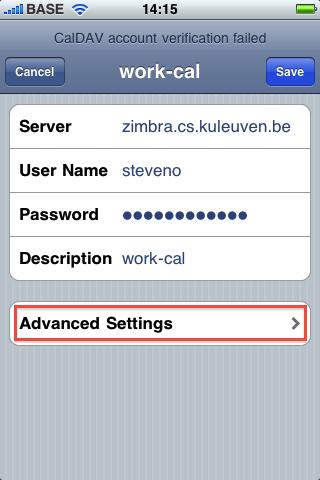
- Select
Advanced setting
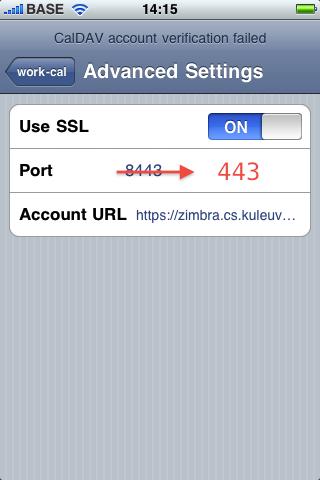
- Replace
port 8443 by 443
- Connection works
Consider it as Read-Only since making new appointments with attendees and resources does not work. You could try "mobile sync" to make this possible.
